In the Gemini vs Grok question, neither one simply wins. Gemini fits better if your life runs on Google (Gmail, Drive, Calendar, Docs) and you want long research reports. Grok fits better if you need to know what people are saying right now, because it searches X live. Both have a free plan, both read your files, make images and video, and remember your preferences.
This comparison uses the web apps as of November 2026: Gemini at gemini.google.com and Grok at grok.com, both in Chrome on Windows 11. Prices are US prices.
Gemini's free plan is generous: Auto mode, Deep Research, Canvas, skills, connected apps and image generation. Google AI Plus ($4.99 a month) doubles your usage and adds Gemini 4 Hydrogen, video and scheduled actions. AI Pro ($19.99) gives four times the usage, Gemini 4 Neon and a one million token context window, about 1,500 pages. Ultra starts at $99.99 and adds Gemini 4 Carbon.
Grok's free plan is lighter: daily chats and a limited number of images. Since October 2026 the paid plans are part of The X Subscription. Plus is $8 a month. Premium ($30) is where you get the latest models, video generation and much higher limits. Super and Ultra are for heavy users.
If you use up Grok's weekly pool, you drop back to the free limits for chat and voice, or buy extra credits. Check your usage in Settings → Usage Limits (Gemini) or Settings → Usage (Grok).
The cheapest paid plan with video is $4.99 for Gemini (AI Plus) and $30 for Grok (Premium).
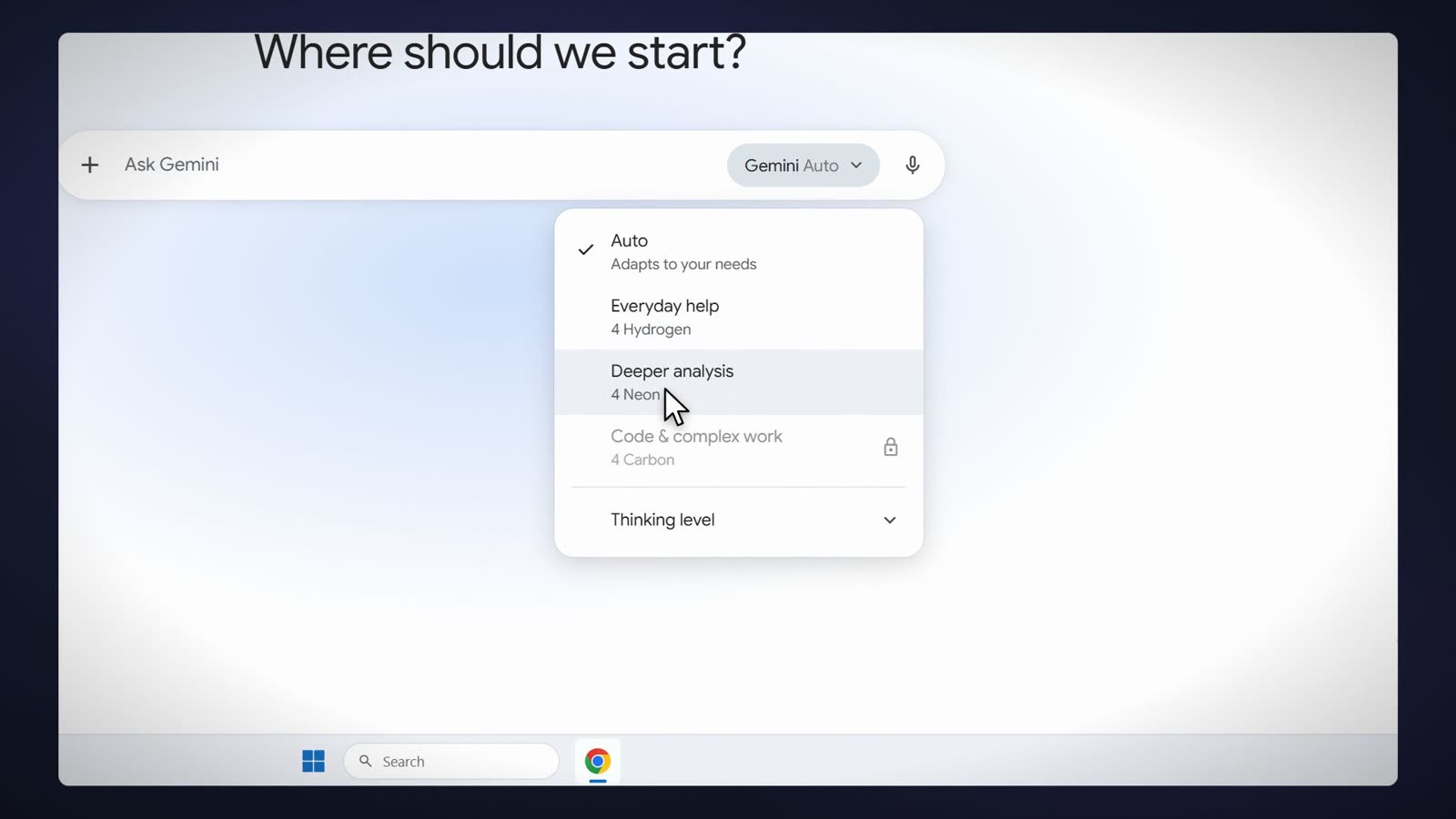
Gemini offers Auto, 4 Hydrogen (everyday help), 4 Neon on Pro and Ultra (deeper analysis) and 4 Carbon on Ultra (code and long, complex work). The thinking level can be low (the default), medium or high. High is slower and uses more of your limit.
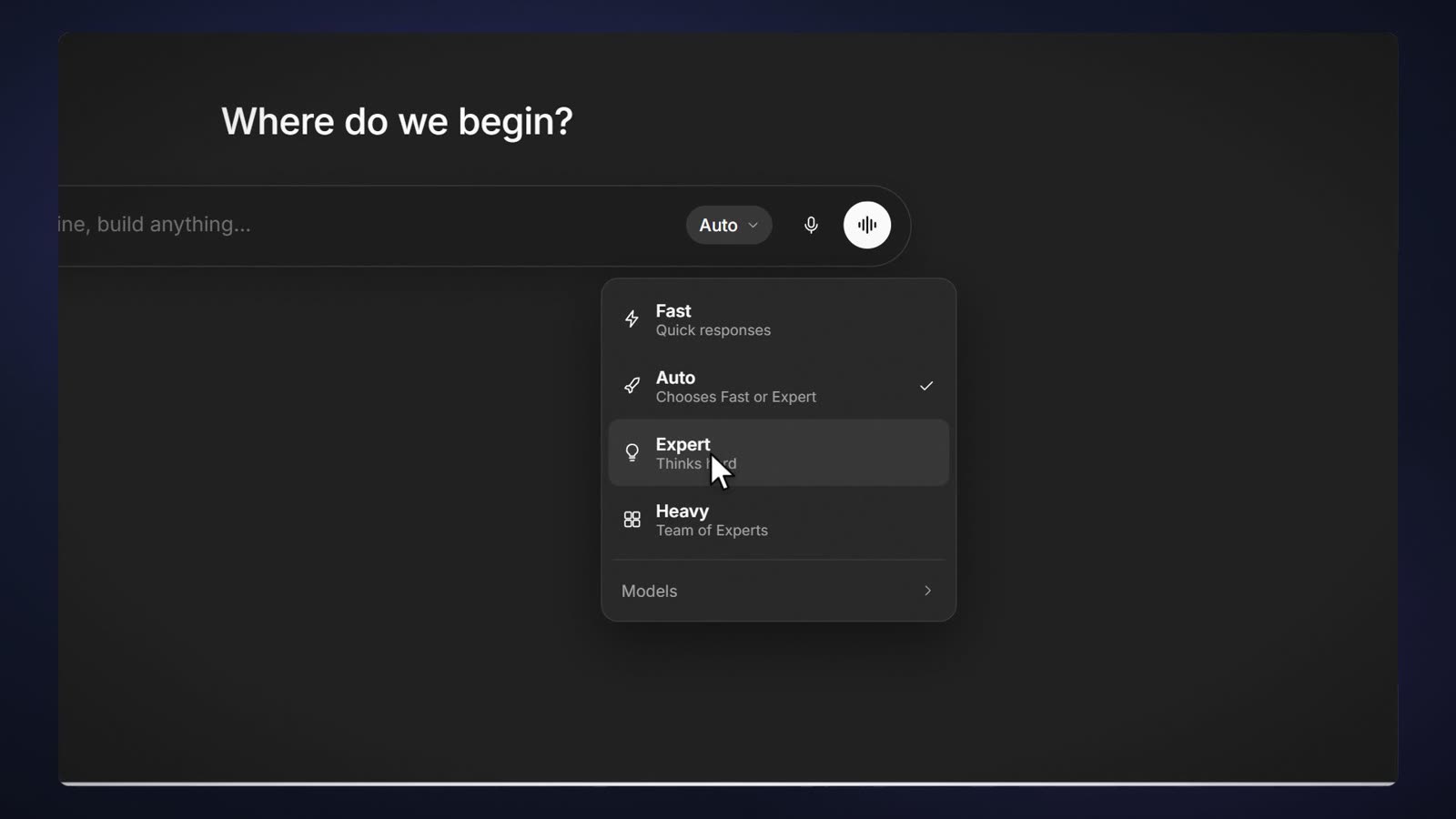
Grok has Fast for quick answers and Expert, which thinks hard and runs on Grok 4.7. Heavy sends a team of agents at the same question and uses much more of your pool. Auto chooses between Fast and Expert. Press Shift + Tab in the composer to cycle through the modes.
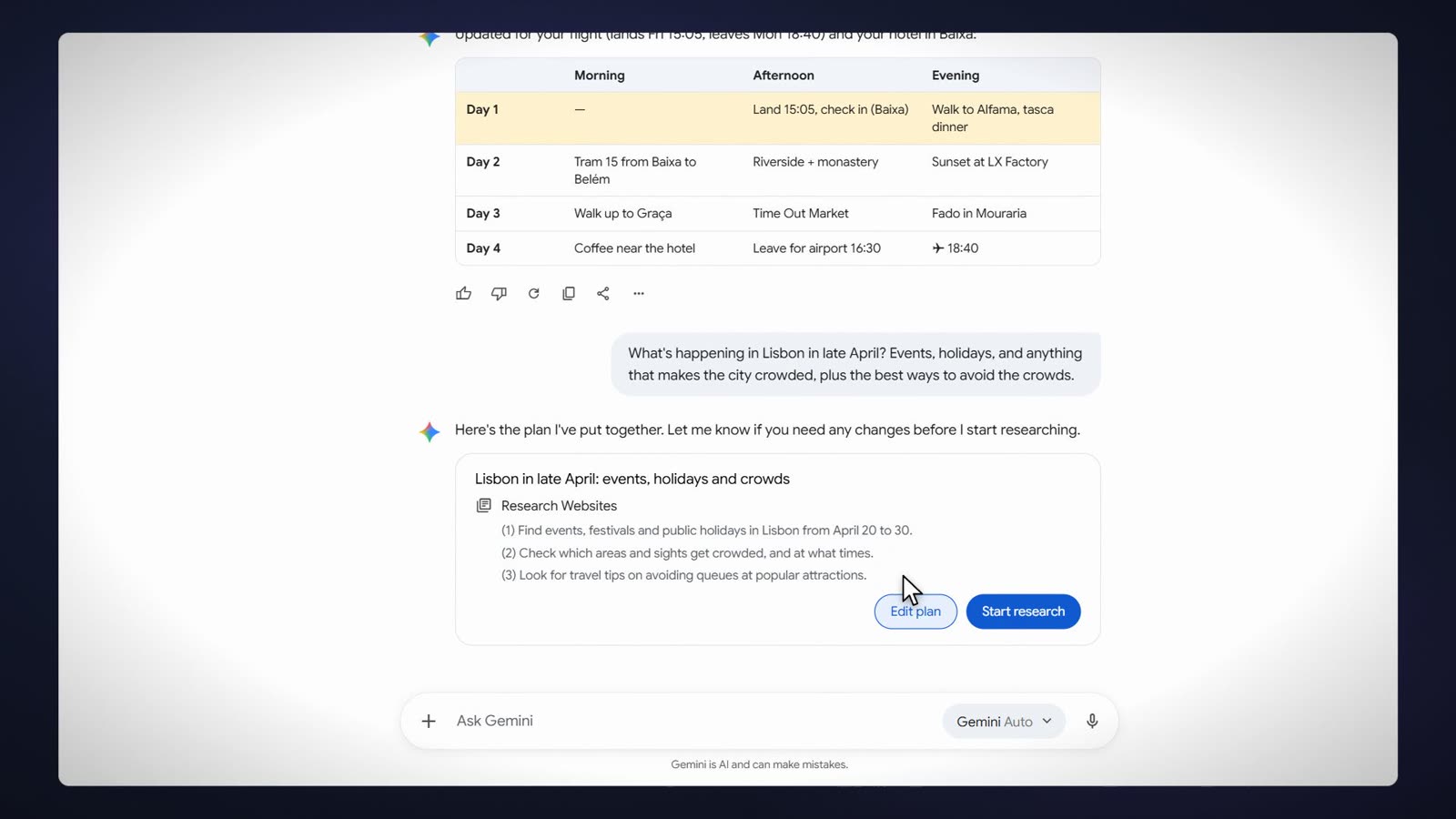
Click + and choose Deep research. Google Search is on by default, and under Sources you can add Gmail or Drive. Gemini doesn't start right away. It shows a research plan first. Click Edit plan to change it, then Start research.
It takes about five to ten minutes, and you can leave the chat and come back. The result is a full report with sources. From the Create menu you can turn it into an Audio Overview, or send it to Google Docs with Share and export.
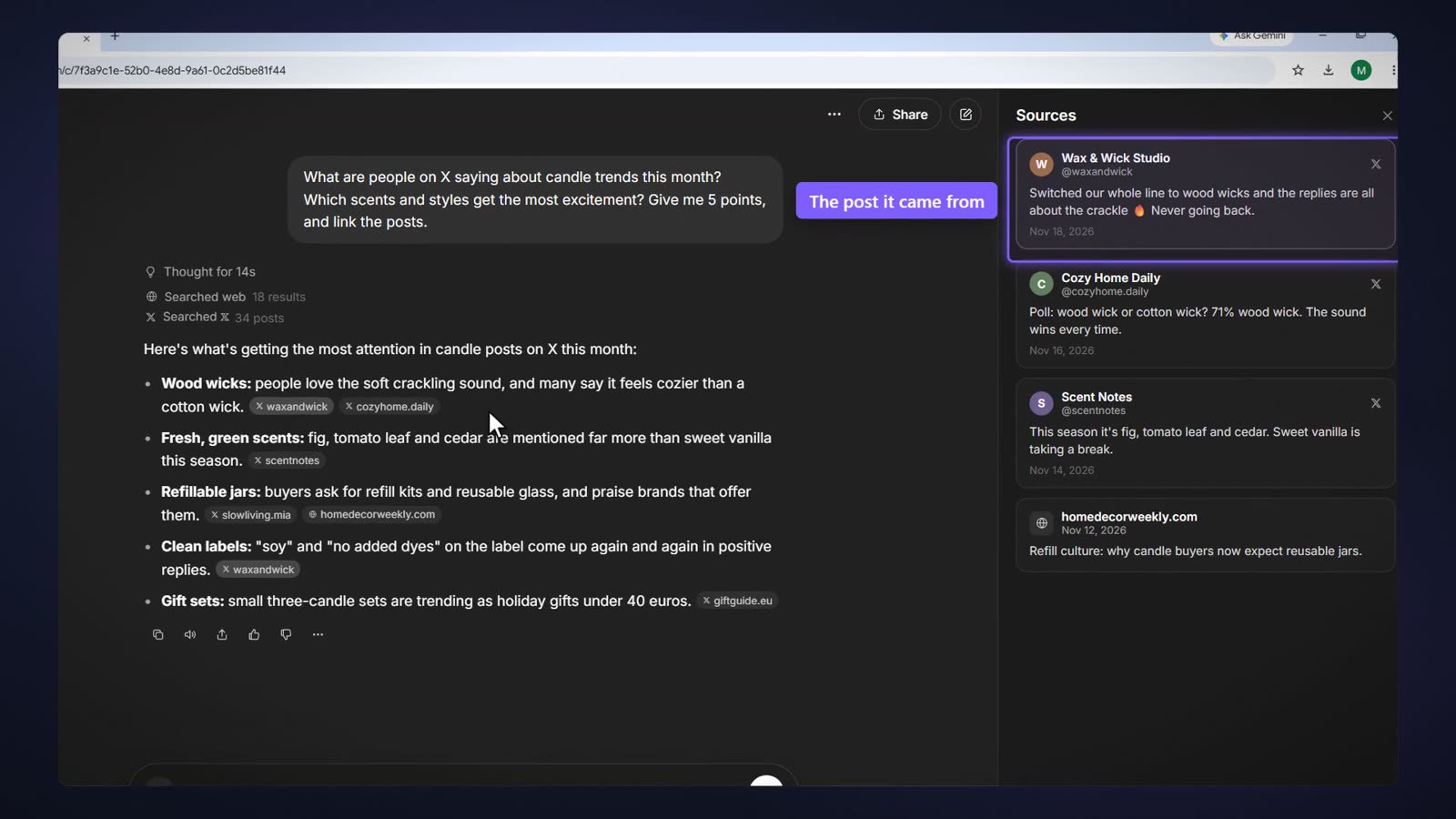
Grok searches the web and X in real time. Ask a question with a time frame, and the thinking line shows "Searched web" and "Searched X". It reads real posts from the last few days. Every point comes with sources, and clicking one opens the post or page it came from.
Posts on X are opinions, and some are wrong or even fake, so open the sources. Gemini can make mistakes too, so verify anything important.
Pick by question type. A planned, sourced report on a big topic is Gemini's strength. "What are people saying this week?" is Grok's.
Gemini: click +, then Upload files or Add from Drive. You can add up to 10 files at once, up to 100 MB each, and videos up to 2 GB. For things you want to keep editing, open Canvas. The document opens next to the chat, and the Create menu turns it into a web page, infographic, quiz or Audio Overview.
Grok: click + and choose Files, or drag files onto the composer. On the web you can attach up to about 100 files at once, including PDFs, Word, Excel, images, audio and video. Grok's skills create real Word documents, PowerPoint decks, Excel sheets and PDFs you can download.
Gemini uses Nano Banana 2. With a paid plan, More → Redo with Pro gives a sharper version. You can edit your own photos by saying what to change (photo editing is 18+). Every image carries an invisible SynthID watermark. Video runs on Gemini Omni: clips of three to ten seconds, up to fifteen on Ultra, with sound.
Grok Imagine lives in the sidebar. Attach a photo, describe the change, pick an aspect ratio, and you get a set of options, or start from a template. Make Video turns a still into a short clip, with an optional first and last frame. Every image and video carries a Grok watermark, and removing it isn't allowed.
Gemini Live is only in the Gemini phone app, not on the website. You talk out loud and can share your camera or screen.
Grok voice mode works on the web too: click the white voice button next to the composer. You can change the voice, personality and speed, and screen sharing works on the phone. The small microphone is dictation, not voice mode.
Gemini skills replace Gems, which became read-only on November 17, 2026 and turn into skills on December 17, 2026. Create one in Customize → Skills → Create, then type @ in any chat to use it. Settings → Personal Intelligence → Instructions for Gemini holds what Gemini should always keep in mind.
Grok projects hold shared files and instructions, so every chat inside knows your context. Avatar → Settings → Customize has Customize Grok's Response and personalities like Concise, Formal and Socratic. You can also build your own Grok skills.
Connected apps work the same way in both: connect them, then type @. Gemini connects Gmail, Calendar, Drive and Keep under Customize → Connectors, plus more than forty apps from other companies. Grok connects Gmail, Google Drive, Notion and more.
For repeating jobs, Gemini has scheduled actions (up to ten at a time, paid plans). Grok has automations that run on a schedule or start when an email arrives.
For privacy, Gemini's Temporary chat doesn't appear in your recent chats, doesn't use your memory and isn't used to improve Google's AI. Grok's Private chat isn't saved in your history or used for training, and Settings → Data Controls decides whether your normal chats can be.
You live in Gmail, Drive and Google Docs: Gemini. Connected apps, Deep Research with Gmail or Drive as sources, and export to Docs keep everything in one place.
You follow news, trends or public opinion: Grok. Live search on X with sources is built for "what's happening right now".
You want the most from a free plan: Gemini's free plan includes Deep Research, Canvas, skills and connected apps. Grok's free plan gives daily chats and limited images.
You want video on a small budget: Gemini AI Plus at $4.99 includes video. In Grok, video comes with Premium at $30.
You run one ongoing project with lots of files: Grok projects keep files and instructions together, and Grok takes up to about 100 files at once.
You want to talk to an assistant on your computer: Grok, because voice mode works on grok.com. Gemini Live is phone only.
Many people use both: Gemini for planning and documents, Grok for a quick read on what people are saying.
Write the prompt properly. Gemini's four-part formula works in both: persona, task, context, format. In Gemini, start with "Make this a power prompt:" and it rewrites your prompt for you.
Say the time frame. In Grok, "this week" plus "link the posts" beats a vague question.
Never paste passwords or card numbers into any chatbot, private chat or not.
Plans, prices and features change often and depend on your country, age and account. Check the current plans at gemini.google.com and x.ai/pricing.
Both have a free plan. Gemini's includes Auto mode, Deep Research, Canvas, skills, connected apps and image generation. Grok's gives daily chats and a limited number of images.
Gemini's paid plans start lower: Google AI Plus is $4.99 a month and AI Pro is $19.99. Grok's plans are Plus $8, Premium $30, Super $100 and Ultra $200 a month (US prices, November 2026).
Grok searches X and the web live and shows the posts and pages it used. Gemini's Deep Research searches the web, can add Gmail or Drive as sources, and writes a full report with sources.