Claude Code vs OpenCode vs Pi: The 2026 AI Coding Agent Comparison
2026.11.28
There is no single best AI coding agent in 2026, but there is a best one for how you like to work. Claude Code is the polished, all-in-one agent for people who pay for Claude. OpenCode is the free, open source agent with a desktop app and dozens of model providers. Pi is the third option most comparisons skip: a tiny terminal agent with four tools, no permission pop-ups and no plan mode, which you grow yourself with TypeScript extensions.
This comparison puts all three side by side, with the most attention on Pi, because it takes a very different approach.
Claude Code and OpenCode are similar in spirit: both ship a lot of features, both ask before risky actions, both have a planning mode. Pi goes the other way.
Out of the box, the model in Pi gets exactly four tools: read a file, write a file, edit a file, run a bash command. The system prompt is short too. There are no sub-agents, no plan mode and no permission pop-ups. The idea is that modern models are already good at coding, so the agent should get out of their way and keep the context window for your actual work.
When you ask Pi to explain a project, you see it list files with bash and read package.json and the source files. No indexing, just the commands you would type yourself.
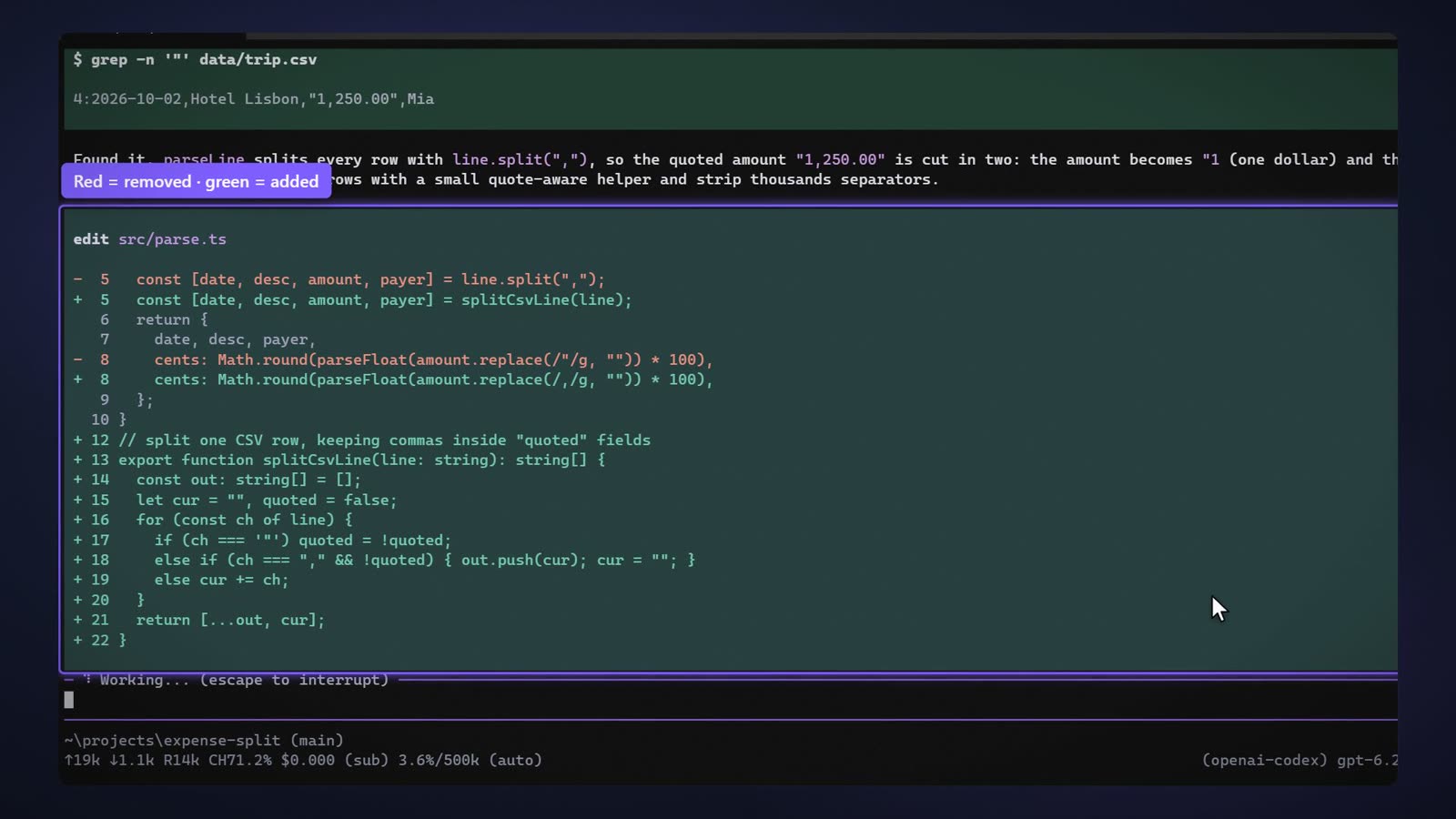
The edit card above is Pi fixing a CSV parsing bug: red lines removed, green lines added. When one of its own tests failed, it read the error, fixed its mistake and ran the tests again.
This is the most important difference. Pi reads, writes and runs commands as you, right away. There is no Allow once and no Allow always. Pi's creator argues that pop-ups give a false sense of safety, because people keep clicking yes. Real safety comes from limits: Git, backups and a container for risky work.
Pi's answer to missing features is extensions: TypeScript files that add tools for the model, slash commands, keyboard shortcuts, or hooks on events such as every tool call. They live in .pi\extensions\ in your project, or in your user folder under .pi\agent\extensions\ for every project. There is no build step.
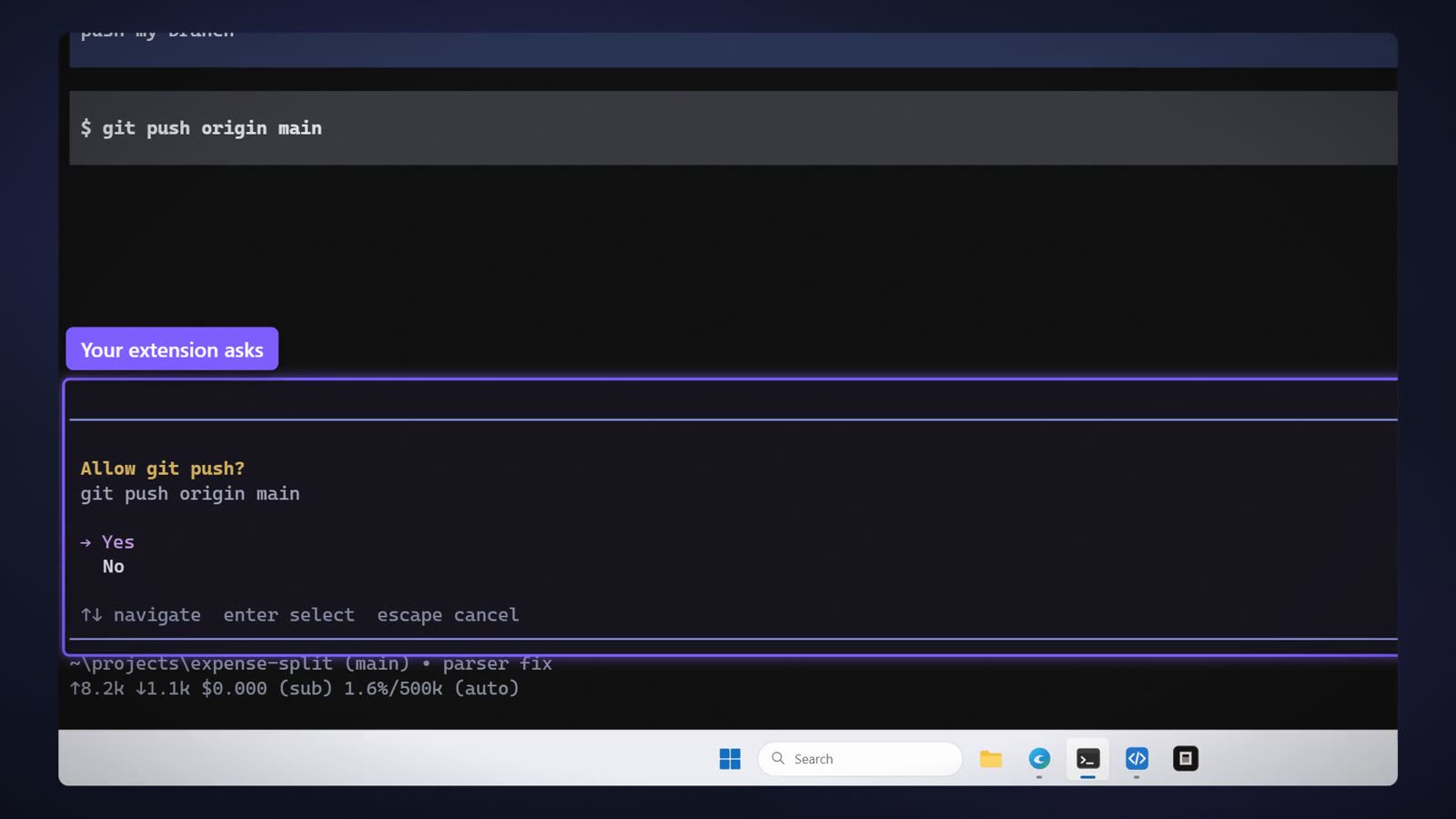
You don't even have to write them. Ask Pi: "Write an extension in .pi/extensions that asks me to confirm before any git push or rm -rf." Pi reads its own docs and writes the file. Because the project now contains code, Pi asks you to trust the folder before loading it.
That is a permission gate exactly where you want one, and nowhere else. Ready-made extensions come as Pi packages (pi install npm:PACKAGE), but they run with all of your permissions, so read the source first.
Every Pi session is saved. /tree shows the conversation as a tree: jump back to an earlier prompt, change it, and Pi starts a new branch while the old one stays. /fork starts a new session from an earlier message and /clone copies the whole session. Moving around the tree changes the conversation, not your files, so Git is still your undo button.
Claude Code is Anthropic's agent and lives in your terminal. It needs a paid Claude plan (Pro is 20 dollars a month; Max and Ultra give more usage) or an Anthropic Console account for API billing. The free plan does not include it.
Install it on Windows 11 with one line in PowerShell, no admin rights needed:
irm https://claude.ai/install.ps1 | iex
What you get that Pi leaves out:
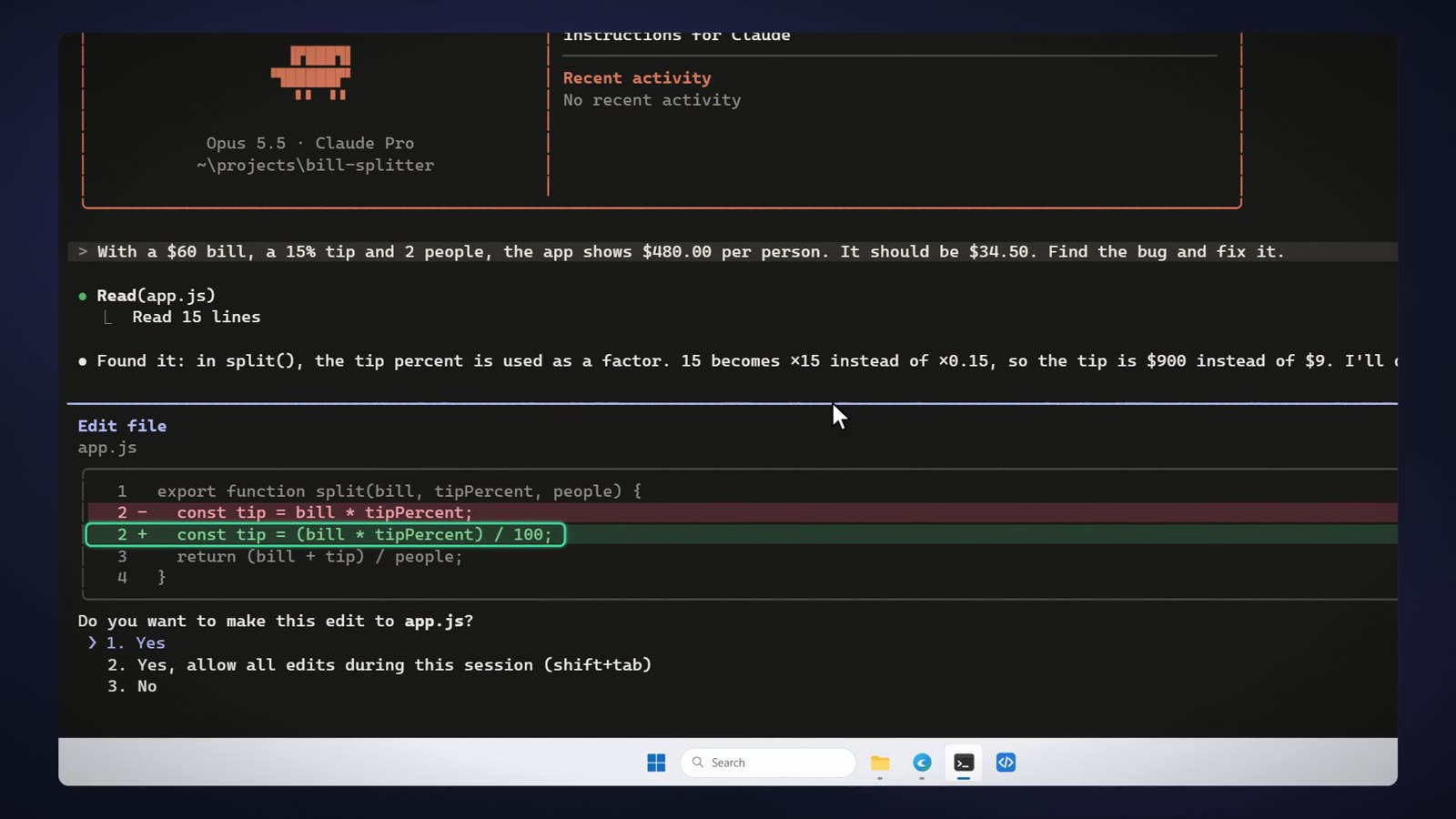
Permission modes, cycled with Shift + Tab: auto, manual, accept edits and plan. New sessions start in auto mode, where a separate safety check blocks risky actions. Manual mode asks before every edit and command.
Plan mode, where Claude only reads and plans until you approve.
Rewind: Esc twice on an empty prompt (or /rewind) restores the code, the conversation or both.
Model choice is limited to Claude models. /model or Alt + P switches between Opus, Sonnet and Haiku.
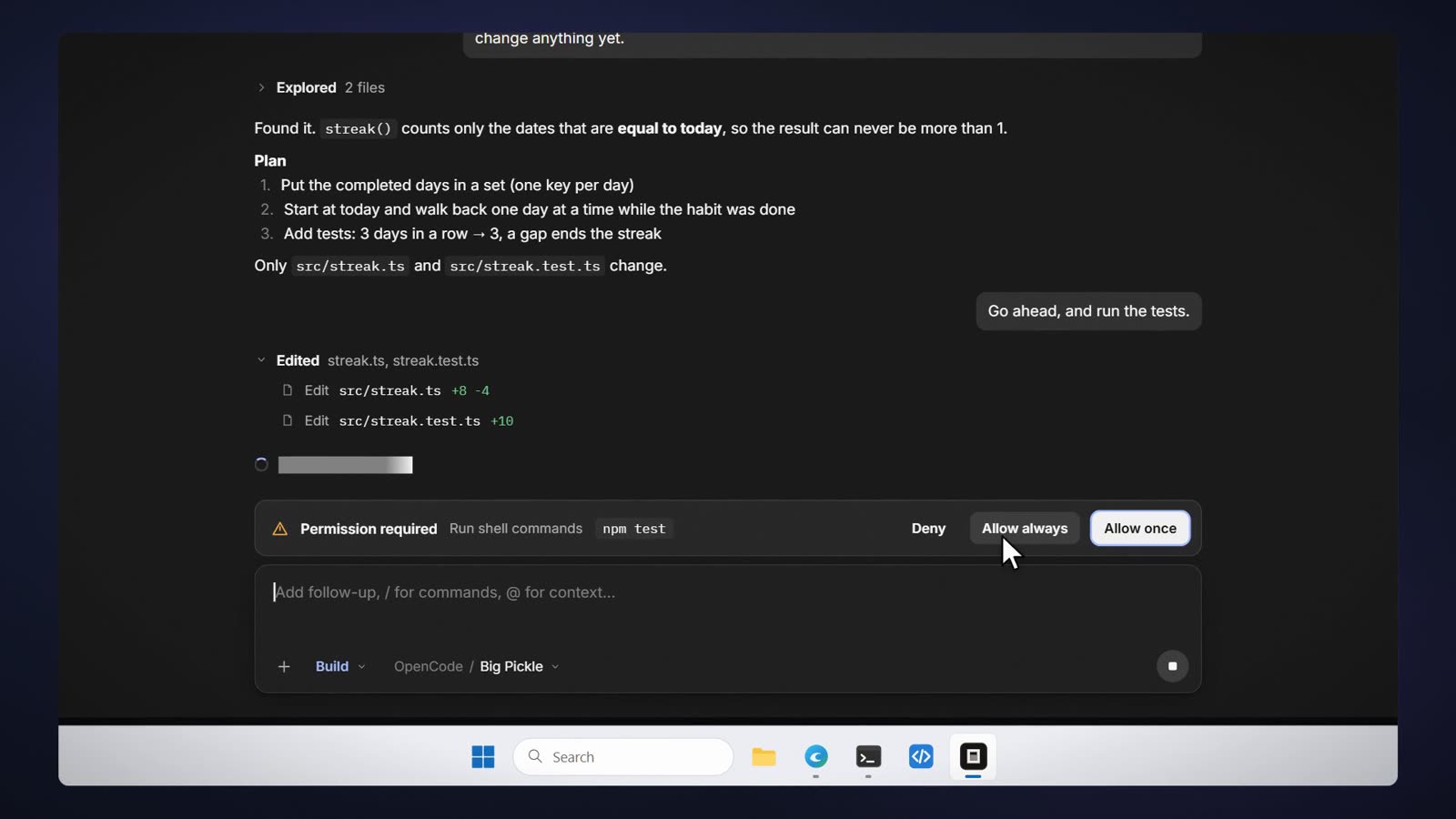
OpenCode is open source (MIT) from a company called Anomaly. Version 2.3 runs as a desktop app, in the terminal or in a browser, and all of them share the same sessions. It comes with free models such as Big Pickle, and /connect adds OpenCode Go (from 10 dollars a month), OpenCode Console, ChatGPT, GitHub Copilot or API keys.
winget install --id Anomaly.OpenCode.Desktop -e
It sits between the other two. Like Claude Code, it asks before commands. Like Pi, it is free and lets you choose the model.
The Plan agent (Ctrl + . to switch from Build) can read and think but not edit. /undo and /redo roll changes back, and need a Git repository. A word of caution: free models can keep your prompts, so never paste passwords, API keys or private data into them.
Some things work the same everywhere, so the skills you learn carry over:
Point at files with @file in all three.
Run a shell command yourself with ! at the start of the prompt.
Summarize a long session with /compact.
Give project rules in an instructions file. Pi and OpenCode read AGENTS.md; Claude Code reads CLAUDE.md. Pi also reads CLAUDE.md, so an existing file just works.
Commit before big tasks and read every diff. With Pi this is not optional.
You live in the terminal and want a small, fast agent with little in the way
You want to shape the agent yourself with TypeScript extensions
You already pay for ChatGPT, Claude or GitHub Copilot and want to use that login, or run a local model through Ollama
You are disciplined with Git, because nothing asks before it runs
Choose OpenCode if:
You want to start for free, without a card
You prefer a desktop app with a Review tab and buttons
You want permission prompts and a Plan agent, with any model
Choose Claude Code if:
You already pay for a Claude plan
You want permission modes, plan mode and rewind built in
You want one team behind both the model and the agent
A simple path: start with OpenCode Desktop to learn the plan, review and commit loop with a safety net. Move to Claude Code if you pay for Claude, or to Pi once you trust your Git habits and want a lighter tool. Pi is at pi.dev, and OpenCode is at opencode.ai/download.
No Git. Pi has no undo at all, OpenCode's /undo needs Git, and Claude Code's rewind does not track changes made by shell commands.
Following old tutorials. Pi's old npm package @mariozechner/pi-coding-agent is deprecated; use the installer from pi.dev. OpenCode 2.0 changed commands, so npm i -g opencode-ai and Tab to switch agents no longer match.
Approving without reading. In Claude Code and OpenCode the prompt is your code review. In Pi, !git diff is.
It depends on how you work. Claude Code is the most complete if you pay for Claude. OpenCode is the best free option with a desktop app. Pi is the best fit if you want a minimal terminal agent you extend yourself.
Pi itself is open source under the MIT license. You connect a model with /login, using a subscription such as ChatGPT Plus, Claude Pro or GitHub Copilot, an API key, or a local model.
It is a design choice. Pi treats pop-ups as false safety and relies on Git, backups and containers instead. If you want a confirmation for specific commands, you can add one with an extension.
Mostly. OpenCode and Pi read AGENTS.md, and Pi also reads CLAUDE.md. Claude Code reads CLAUDE.md, and since version 2.1.277 it falls back to AGENTS.md when there is no CLAUDE.md. If you have both, put @AGENTS.md in your CLAUDE.md.
OpenCode Desktop, because it is free, graphical and asks before commands. Pi is the least forgiving for beginners, since there is no permission prompt and no undo besides Git.