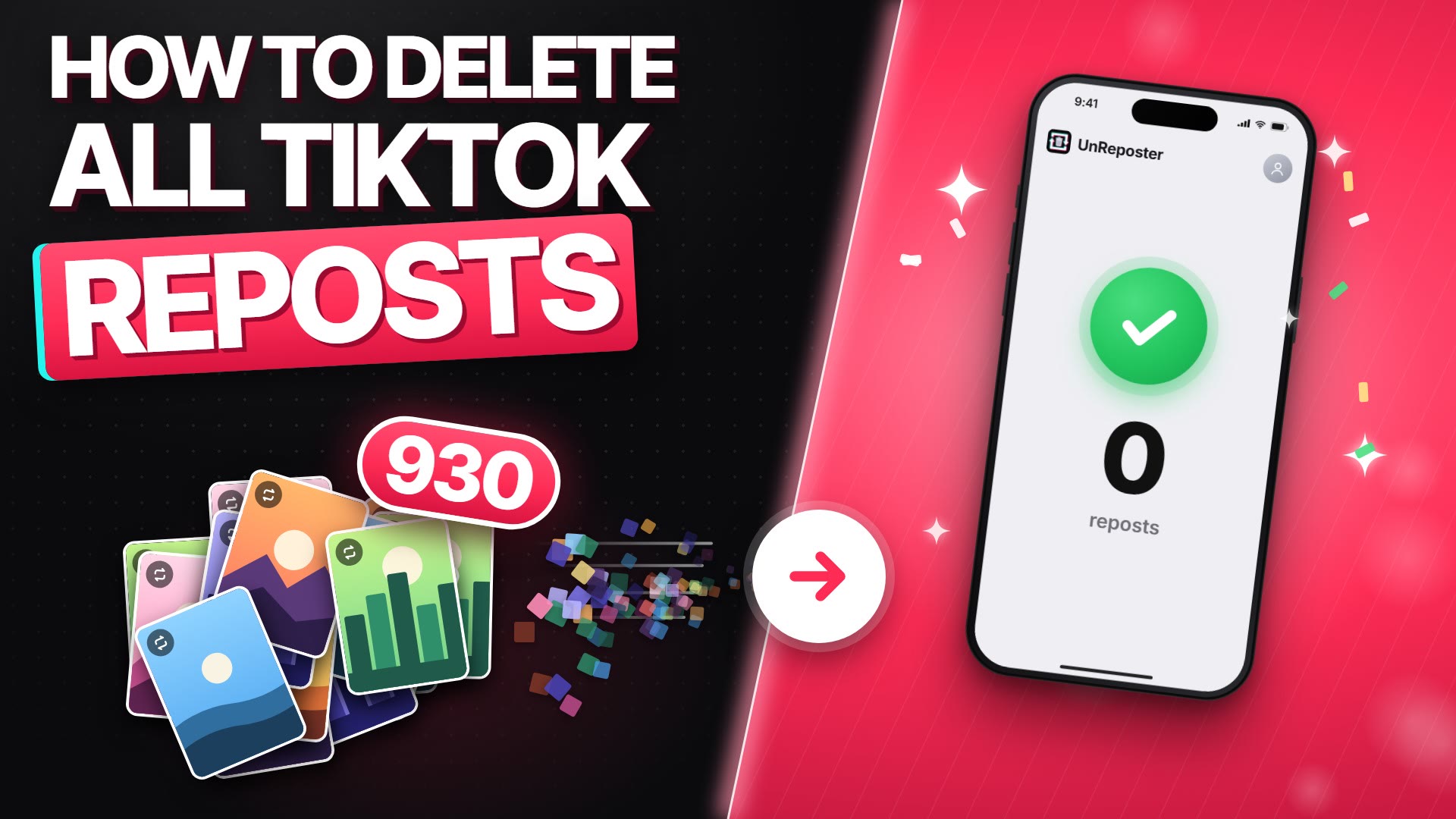
How to Delete All TikTok Reposts at Once (Step by Step)
2026.06.21
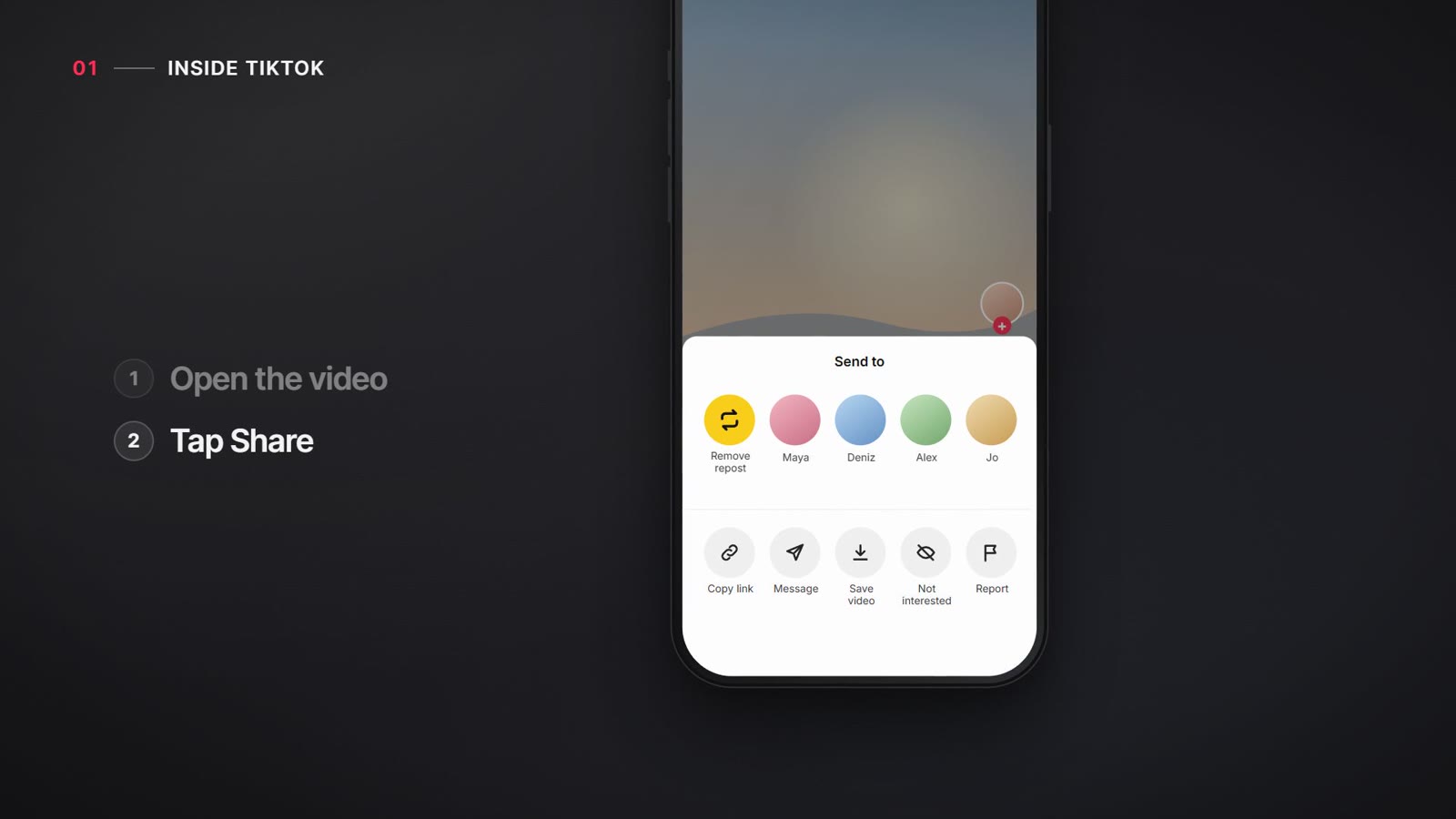
TikTok does not have a "delete all reposts" button. Inside the app you can only remove reposts one at a time, from each video's share menu. To delete all your TikTok reposts at once, or to clear only some of them, you need a bulk repost remover like UnReposter. This guide shows both methods step by step, plus the daily limit that stops most big cleanups halfway.
A quick note before we start: UnReposter is an app we built for exactly this problem. We'll be clear about what it does for free and what needs Premium.
Reposting takes a single tap, and the Repost button is the first option in the share menu, right where your thumb lands. So reposts build up quietly. Many people open the Reposts tab on their profile and find hundreds of videos they don't remember sharing.
That matters because reposts are not private. They show up in your followers' feeds with your name attached, so your profile ends up saying much more than you meant it to.
There is no multi-select and no delete-all option, so every repost goes through the same routine: open, share, remove, go back, find your place again. That takes about eight seconds per repost. For 500 reposts, that's roughly an hour of nonstop tapping, and the older ones are hard to even scroll back to.
UnReposter loads your whole repost history into one list and removes one, some or all of the reposts for you. It's available on the App Store and Google Play, with a Chrome extension too. You can find all of them at unreposter.com.
Open the app and sign in to your TikTok account. The sign-in happens on your own phone: your password isn't sent to any server, and the session stays on your device.
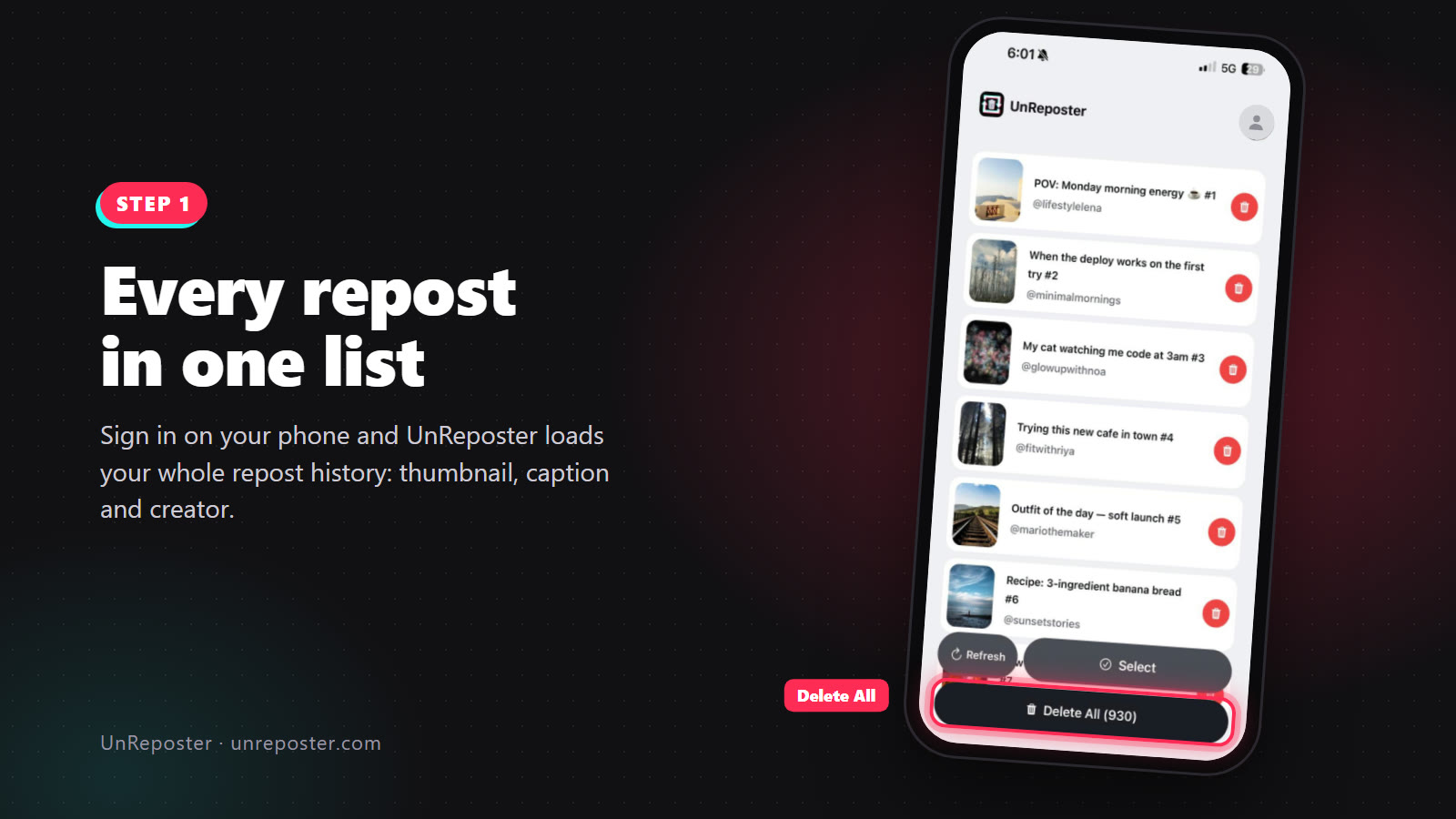
UnReposter then pages through your entire Reposts tab, including reposts from years back. A moment later you see every repost in one list, with the thumbnail, the caption and the original creator. At the bottom you get three buttons: Refresh reloads the list, Select lets you pick videos, and Delete All clears everything.
One repost: tap the red trash button next to it. Done.
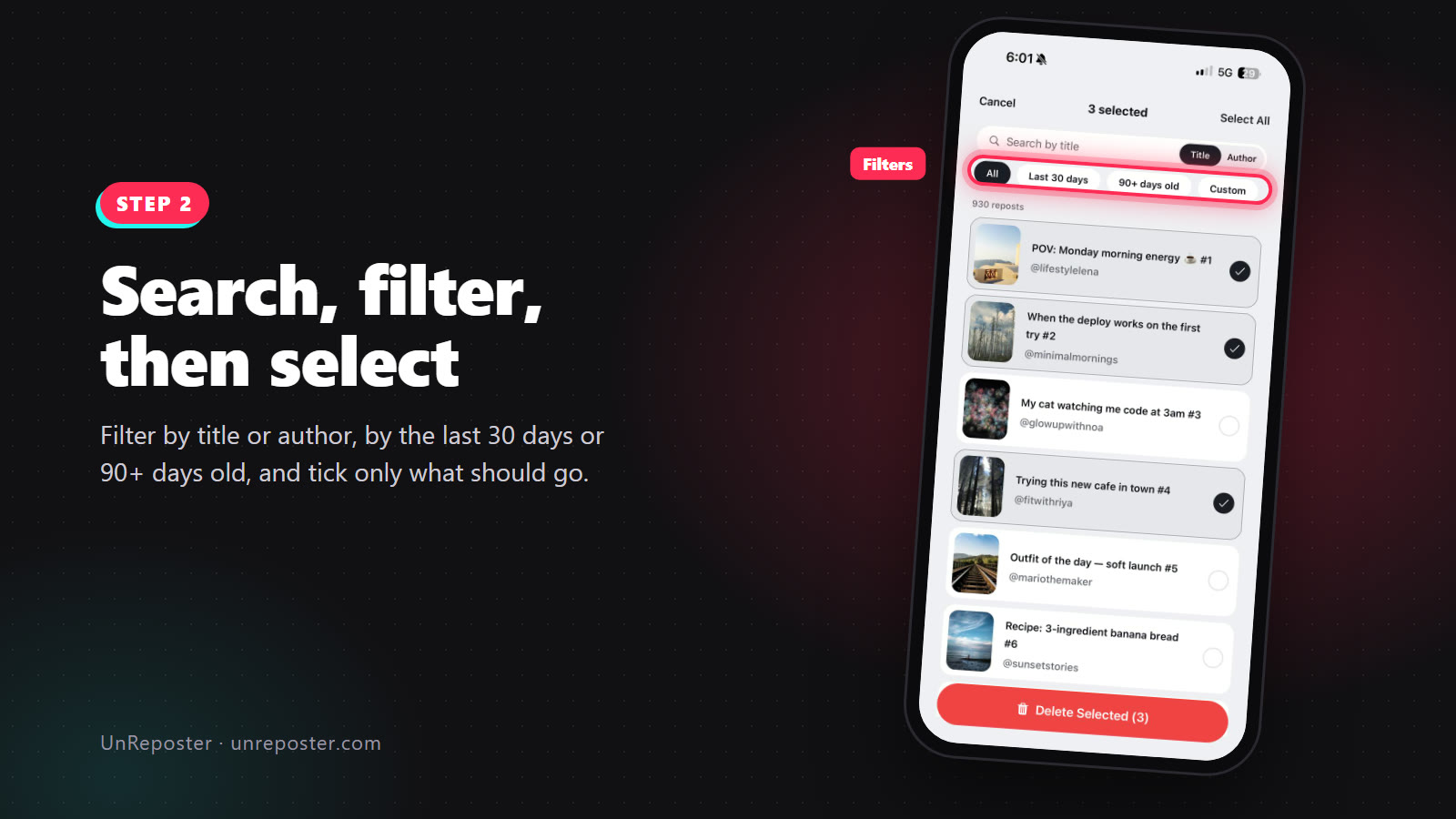
A batch: tap Select, then narrow the list:
search by title, or switch to Author to find everything from one creator,
filter by age: Last 30 days, 90+ days old, or a Custom date range.
Tick the reposts you want gone and tap Delete Selected. Anything you didn't select stays exactly where it is.
Removing a repost is permanent, so if you want to keep some, filter first and select second.
On the free plan you remove reposts one at a time with the trash button. Removing a selection or everything in one run is part of Premium (see the table below).
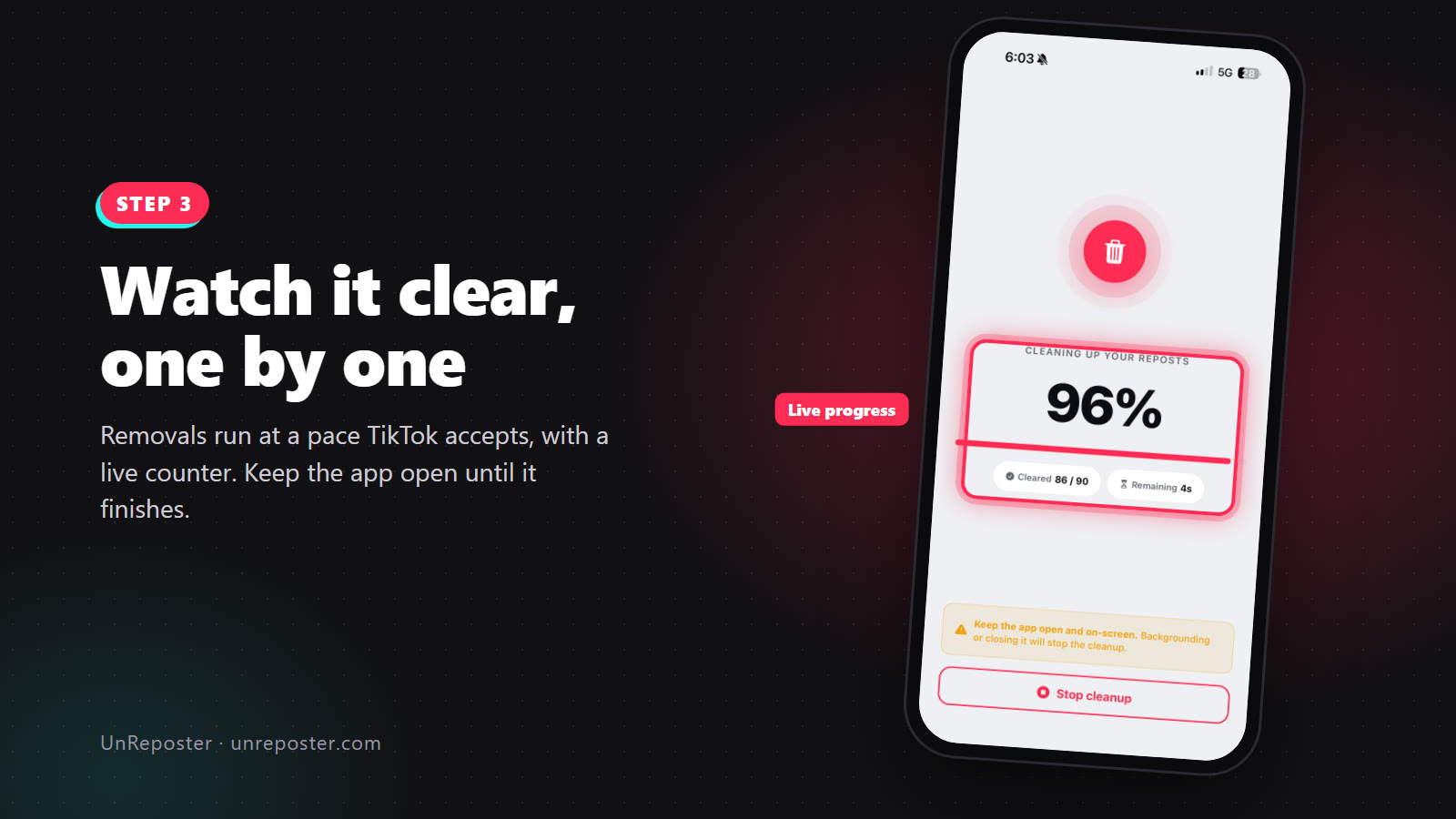
For a completely clean slate, tap Delete All. The app removes your reposts one after another, at a pace TikTok accepts, with a live counter showing how many are cleared and how many are left.
Keep the app open and on screen while it runs. If you close it or send it to the background, the cleanup stops. Nothing is lost: whatever wasn't removed stays in the list, and you can continue from there. Done this way, a few hundred reposts take minutes instead of an afternoon.
This trips up almost everyone. TikTok itself only allows a certain number of repost removals in 24 hours. When you hit that limit, removals quietly stop working, without a clear error message. No app can lift this limit.
If it happens, don't keep retrying. Stop for the day and continue tomorrow; your remaining reposts will still be there.
UnReposter also has its own daily ceiling:
Free
Premium
Load your full repost history
Yes
Yes
Remove reposts
One at a time
One, selected, or all in one run
Removals per day
Up to 100
Up to 1,000
Cooldown between deletions
Yes
No
Price
Free
$4.99 per week, or $19.99 once for lifetime
Prices are from unreposter.com and may change. The free plan is enough to see your whole history and clear a small backlog. Premium is meant for one big cleanup.
That's almost always TikTok showing an old, cached copy. Pull down to refresh your profile, or restart TikTok, then reload the list in UnReposter. If the video is no longer in the list, the removal worked.
Never type your TikTok password into a website that promises to delete your reposts. UnReposter signs you in inside the app, on your device, and keeps your repost list there.
You can test this yourself: once your list has loaded, turn on airplane mode. The full list is still there, because it never left your phone.
Repost is the first button in the share menu, and it's public. If you just want to save a video for later, use Favorites instead; only you can see those. Watching which button you tap is the easiest way to keep your Reposts tab clean.
Not inside TikTok. The app removes reposts one at a time from each video's share menu, with no multi-select. To delete all of them at once you need a bulk tool like UnReposter. Deleting everything in one run is part of Premium; the free plan removes reposts one at a time.
TikTok limits how many reposts you can remove in 24 hours. When you reach it, removals stop working without a clear error. Wait until the next day and continue. UnReposter's own limit is 100 removals a day on the free plan and 1,000 on Premium.